Why a PowerPoint Is Not a Complete Professional Learning Session
 Imagine this scenario… You have been asked to lead professional learning next week. So, naturally, you open PowerPoint. You choose a template, create a title slide, add your key ideas, find a few visuals, and organize everything into a logical sequence.
By the time you finish, the presentation looks polished. But there is still an important question to answer: What will participants actually do with the information?
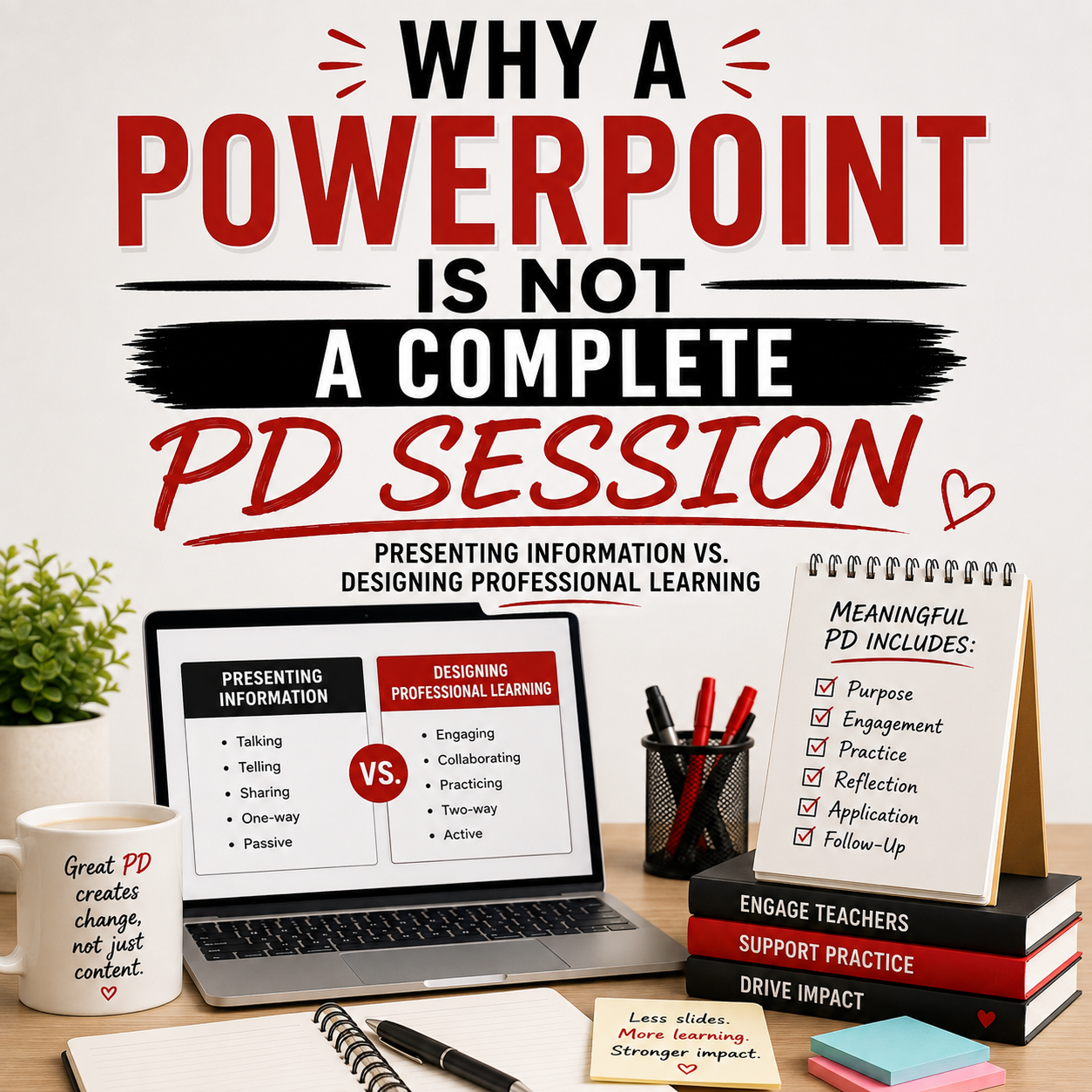
A PowerPoint can help you present content clearly, but slides alone do not create meaningful professional learning. There is a difference between sharing information and designing a learning experience.
If the goal is simply to communicate an announcement, explain a new procedure, or review a policy, a presentation may be enough. But if the goal is to strengthen teacher practice, change instruction, or support implementation, participants need more than information on a screen.
They need opportunities to think, discuss, practice, reflect, and plan. That is what turns a presentation into professional learning.
Presenting Information and Designing Learning Are Not the Same
Presenting information usually focuses on one question: What do I need to tell participants?
Designing professional learning asks a different set of questions:
- What do participants need to understand?
- What should they be able to do after the session?
- How will they connect the learning to their current practice?
- Where will they discuss and process new ideas?
- What will they practice?
- How will they decide what to implement?
- What support will they need afterward?
A presenter organizes information. A facilitator creates the conditions for learning. Both roles matter, but they are not interchangeable. You can deliver a beautiful presentation and still leave participants unsure about what the content means for their classrooms. You can also use a simple slide deck and lead an excellent session because the learning experience surrounding the slides is thoughtful, practical, and purposeful. The slides are one tool. They are not the entire session.
The Problem With Slide-Heavy Professional Learning
When planning time is limited, it is easy to focus most of your energy on the visible part of the session: the presentation.
You may spend hours:
- Refining the wording
- Rearranging slides
- Choosing fonts
- Finding images
- Adding transitions
- Making everything look cohesive
Those details can support clarity, but they do not guarantee learning. A slide-heavy session often places participants in a passive role. They listen, take a few notes, and wait for the presenter to move to the next idea. Even when the content is strong, participants may leave thinking: That was interesting, but what am I supposed to do with it?
Information becomes more useful when people interact with it. Teachers need time to examine examples, make connections, test ideas, ask questions, and determine how a strategy applies to their students. Without those opportunities, professional learning can feel like something that happened to them instead of something they actively experienced.
What a Complete Professional Learning Session Includes
A complete professional learning session is designed from beginning to end. It does not simply answer, “What should I put on the slides?” It answers, “What do participants need in order to learn, apply, and grow?”
Here are the key elements.
1. A Clear Purpose
Before creating slides, identify the reason for the session. What teacher need are you addressing? What challenge are participants trying to solve? What change do you hope to see in practice?
A broad topic is not yet a purpose. For example, student engagement is broad where as “Help teachers plan opportunities for every student to think, talk, and participate during a lesson” has a clear purpose. Or “Feedback” is a broad topic where as “help teachers provide feedback that gives students a clear and usable next step” has a clear purpose. A strong purpose keeps the session focused and helps participants understand why the learning matters.
2. A Meaningful Outcome
Participants should know what they will leave able to understand, plan, or implement. Your desired outcome might be: Teachers will identify one current classroom routine that needs strengthening and create a plan to reteach it. Or: Teachers will revise one piece of feedback so it is specific, actionable, and connected to the learning goal. A clear outcome prevents the session from becoming a collection of interesting ideas without a destination. It also helps you decide what belongs in the presentation—and what does not.
3. Opportunities to Process the Learning
Listening is only one part of learning. Participants also need opportunities to process information through conversation, reflection, analysis, and application.
This might include:
- Responding to a reflection prompt
- Comparing two classroom examples
- Discussing a scenario with colleagues
- Analyzing student work
- Sorting strategies into categories
- Identifying patterns in data
- Revising a weak example
- Connecting the idea to current practice
These experiences give participants time to make sense of the content rather than simply receive it. Professional learning becomes more memorable when people do something with the information.
4. Purposeful Learning Moves
Learning Moves are intentional structures that help participants engage with the content.
They may invite people to:
- Think
- Discuss
- Collaborate
- Analyze
- Practice
- Reflect
- Plan
- Apply
A Learning Move is not added just to make the session feel interactive. It should move participants closer to the intended outcome. For example, if teachers are learning about effective feedback, they might analyze several feedback statements, identify which are most useful, and revise the weaker examples. If teachers are learning about classroom procedures, they might examine a transition scenario and identify where clarity, modeling, or practice is missing. The activity is not separate from the learning. It is how participants develop the learning.
5. Facilitator Guidance
Slides tell participants what they can see. A facilitator guide helps the leader know what to do.
Strong facilitator support may include:
- A clear agenda
- Suggested timing
- Talking points
- Activity directions
- Transition language
- Questions to ask
- Ideas to listen for
- Common misconceptions
- Debrief guidance
- Options for shortening or extending the session
This preparation matters because good facilitation requires more than reading the text on a slide. You need to know when to pause, when to invite discussion, when to clarify, and when to move the group forward. When those decisions have already been considered, you can focus more fully on the participants instead of trying to manage the session in the moment.
6. Participant Materials That Support Thinking
A handout should do more than repeat the slides. Useful participant materials help teachers process, reflect, plan, and apply.
They might include:
- Guided reflection questions
- Planning templates
- Strategy checklists
- Space to analyze examples
- Classroom application prompts
- Self-assessments
- Action-planning pages
- Notes for implementation
The goal is not to give participants more paper. The goal is to give them a tool that helps move the learning into practice. A strong Learning Journal becomes something teachers can return to after the session—not another packet that disappears into a bag.
7. Practice and Application
Knowing about a strategy is different from being ready to use it. Participants need an opportunity to rehearse, plan, revise, or make decisions before they leave.
Depending on the topic, they might:
- Draft a learning target
- Rewrite a feedback statement
- Plan a classroom procedure
- Practice a coaching conversation
- Design an engagement structure
- Analyze a lesson
- Select a strategy for an upcoming unit
- Create a first implementation step
Application makes the learning concrete. It helps participants move from: “I understand the idea.” to “I know how I will use it.”
8. Reflection and Action Planning
A complete session should end by helping participants decide what comes next.
Reflection questions might include:
- What idea challenged or confirmed your thinking?
- What will you try first?
- When will you use it?
- What support do you need?
- What might get in the way?
- How will you know it is working?
An action plan does not have to be complicated. A simple, specific next step is often more useful than a long list of intentions. Teachers should leave with clarity—not just inspiration.
9. Follow-Up Support
Professional learning should not disappear when the final slide ends. Implementation takes time, practice, feedback, and adjustment.
Follow-up might include:
- A coaching conversation
- A PLC discussion
- A classroom observation tool
- A teacher reflection
- A student-work review
- A planning resource
- A brief check-in
- A one-month-later reflection
The follow-up communicates that the session was not an isolated event. It was the beginning of continued learning.
A Simple Test for Your Next Session
Before you finalize your next PowerPoint, ask yourself: If I removed the slides, would there still be a learning experience?
Would participants still have:
- A clear purpose?
- Something meaningful to discuss?
- An example to analyze?
- A strategy to practice?
- A tool to use?
- A decision to make?
- An action step to take?
If the answer is no, you may have created a presentation—but not yet a complete professional learning session.
Slides Should Support the Learning, Not Become the Learning
This does not mean PowerPoint is unimportant.
Well-designed slides can:
- Organize the session
- Make complex ideas easier to understand
- Provide visual examples
- Clarify directions
- Highlight key takeaways
- Support pacing
- Keep participants oriented
The problem occurs when the slides are expected to carry the entire learning experience. Professional learning is not complete because the deck has 40 slides. It is complete when participants have moved from understanding to application. The best slides support that journey without becoming the journey themselves.
A Complete Session Requires More Than a Deck
When instructional leaders are asked to lead professional learning, they are rarely creating only a PowerPoint.
They are also creating:
- The agenda
- The participant activities
- The facilitator notes
- The discussion questions
- The handouts
- The reflection tools
- The action plan
- The follow-up resources
That is why one 60-minute session can require hours—or even days—of preparation. The workload is not always obvious because most people only see the final presentation. They do not see everything required to turn those slides into a meaningful experience.
You Do Not Have to Build Every Piece From Scratch
This is exactly why I created the Instructional Leaders Library. I wanted instructional coaches, teacher leaders, and administrators to have access to the complete professional learning resources I wish I had possessed when I was leading sessions.
Each topic goes beyond an editable PowerPoint and may include:
- Facilitator guidance
- Learning Journals
- Learning Moves
- Discussion questions
- Practice activities
- Reflection tools
- Action-planning resources
- Coaching follow-up
- Observation tools
- Printable materials
Instead of spending hours building every part of the session, members can log in, download the resources, customize them if needed, and focus on leading. The Library does not replace your knowledge of your teachers. It gives you the structure and tools to use that knowledge more effectively.
Move Beyond Presenting
The next time you are asked to lead professional learning, resist the urge to begin with a blank PowerPoint. Begin with the teacher need. Define the desired change. Plan what participants will think, discuss, practice, and apply. Then use the slides to support the experience you have designed. Because teachers do not need more presentations to sit through. They need professional learning that helps them think differently, strengthen their practice, and take meaningful action.
A PowerPoint can communicate the message. A complete professional learning experience helps that message change what happens next. Explore the Instructional Leaders Library for complete, ready-to-use professional learning experiences designed to help you save time, lead with confidence, and support lasting teacher growth.
GO BE GREAT!


About the author, Gretchen
I am a teacher trainer and coach. Working elbow to elbow with teachers and teacher leaders to ensure instructional proficiency and student achievement soar lights me up. We have a real need in our nation for strong educators to remain in the field. My blog, book, podcast, courses and instructional materials are geared towards empowering teachers (and those that lead them) to receive the support needed to grow and thrive today, tomorrow and always.